A customer portal with your own name and logo
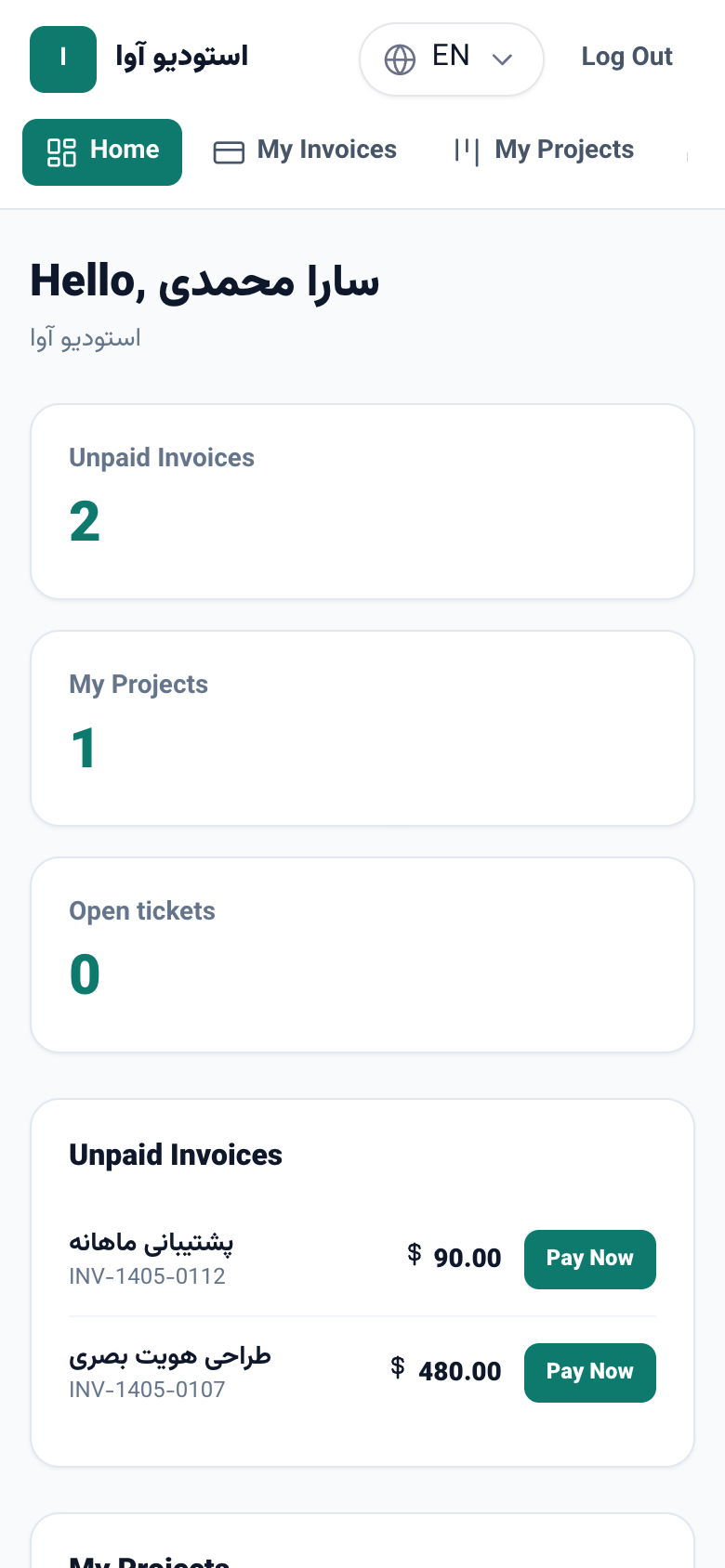
Every business now has its own customer portal. Customers sign in with a code sent to their phone or email, see and pay their invoices, follow their project stage by stage and send tickets — all under your name, logo and colour, even on your own domain.
Product update 2 min read
What changed
Until now the customer portal opened under the NabuOS name and showed invoices from every business side by side. Now each business has a portal of its own:
- Your name, logo and colour. Your customers see your brand, not ours.
- Sign in with a code. Customers create no account: they enter the phone or email they gave you and receive a six-digit code.
- Invoices. Unpaid ones with a Pay button; every invoice can be printed or saved as PDF.
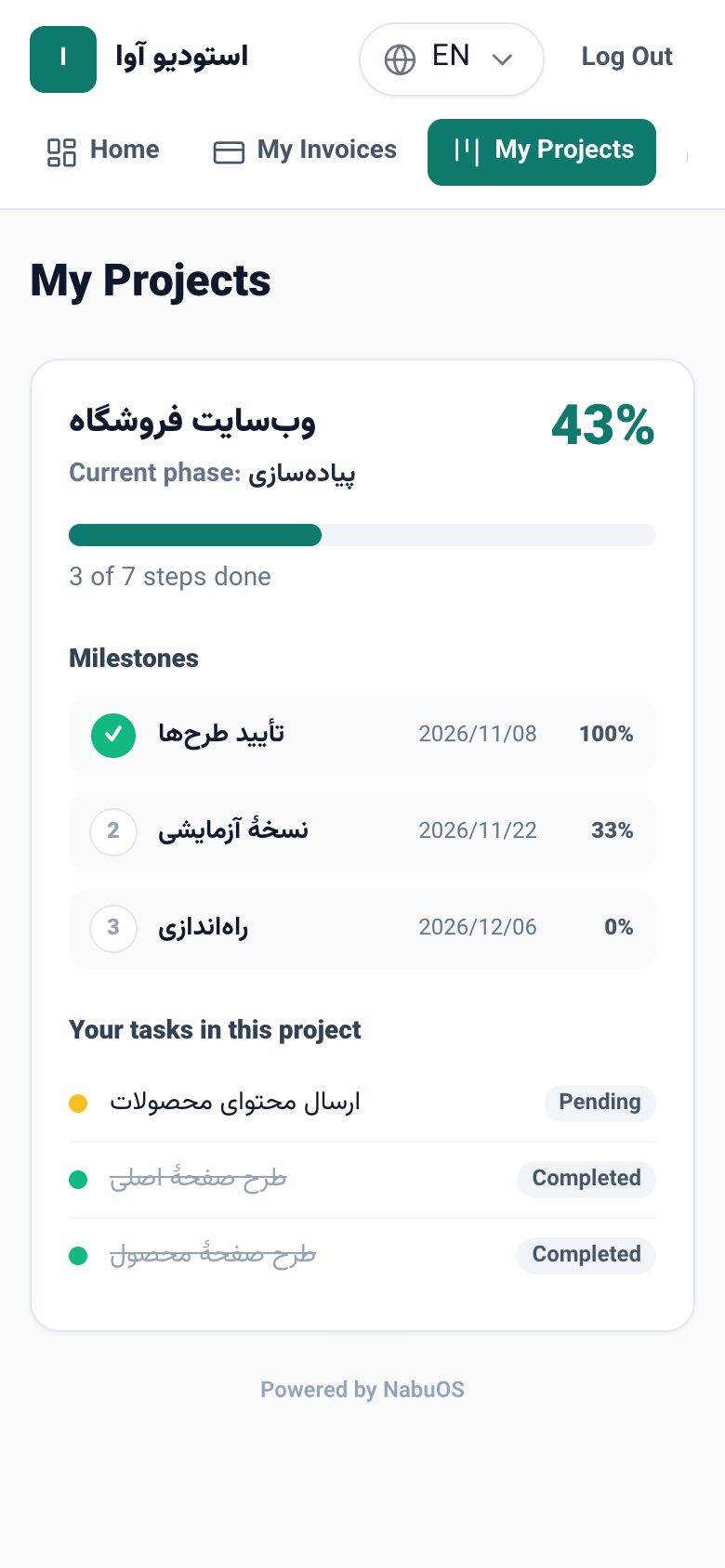
- Project progress. When a project task is filed under the customer, they see the percentage done, the current phase, each milestone with its due date, and the state of their own tasks. Internal notes and the team's other tasks stay hidden.
- Tickets. Customers open tickets, attach files and read the team's answers right there.
- On your own domain. The portal can open on an address such as portal.yourcompany.com.
How to use it
- In the panel, open Connections → Customer portal.
- Tick Turn on the customer portal, pick a colour and press Save.
- Send customers the link shown under the form.
- For the logo, enter its address in Business settings.
- For your own domain, add it in business settings and choose Customer portal as what its root address shows.
Good to know
- A customer sees only what this business files under the phone or email they signed in with.
- The portal stays off, and its address does not open, until you turn it on.
- It opens in the business's language, and the customer can switch.
- A sign-in code works for ten minutes and is cancelled after five wrong tries.